🧾 One Tool per Endpoint Hands the Model Your Frontend's Job
📅 Friday, Nov 6, 2026
⏰ 9:00 AM
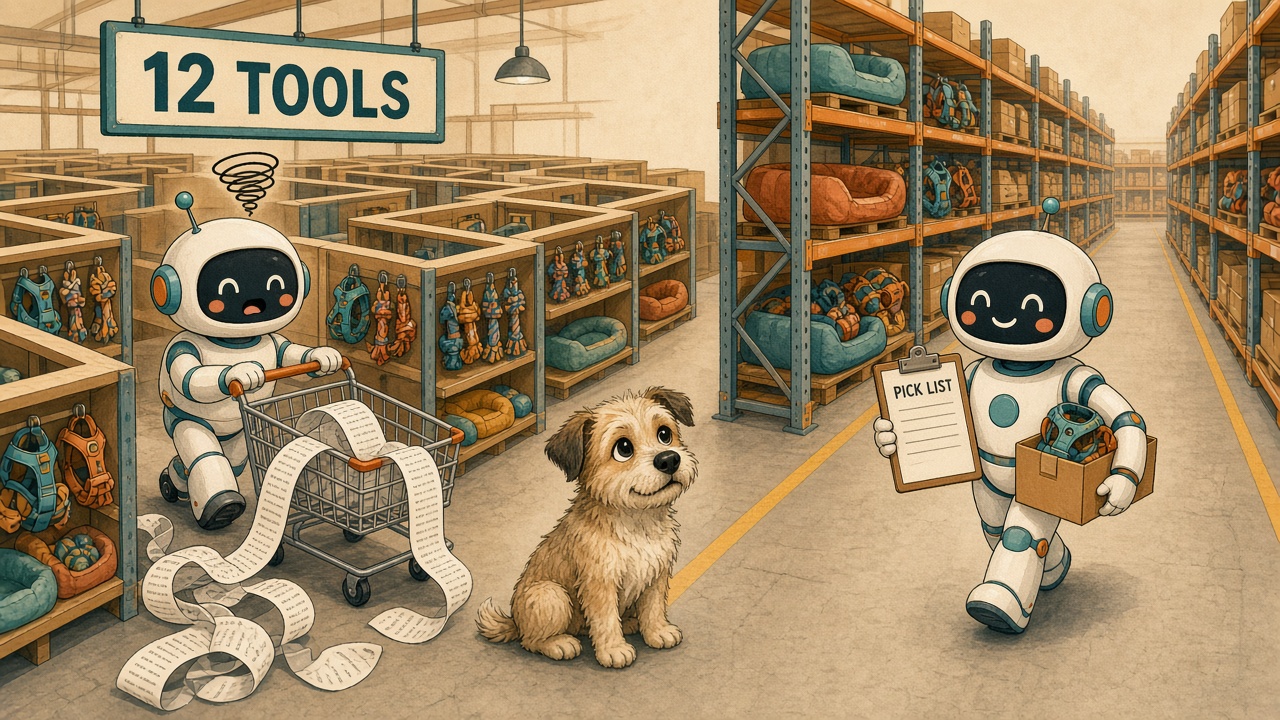
One MCP tool per REST endpoint hands the model the orchestration your frontend already does in code, and the model pays for it on every turn. I measured it this week. Two MCP servers sat in front of the same pet-supply API, and a local model got the same support requests against each one, five times over. On the server generated from the OpenAPI document, a task took a median of 25,757 tokens and 27 task runs failed. With the one I shaped around the support tasks, the median was 11,803 tokens and 4 runs failed. In one of those 27, a customer asked whether her GPS collar could be swapped for a large “at no extra cost” and added, “Just tell me what it would take.” The model quoted the exchange, submitted it, and told her the $4.99 shipping was “the additional cost you will be charged.”
Two servers, one API, one model
My test bed is a small Spring Boot and React app for a pet-supply store that sells harnesses, toys, beds, and GPS collars. Both MCP servers call the same REST API with the same key, and neither one can reach the database or the business rules directly.
The endpoint server is the one you get almost for free. A generator reads the app’s OpenAPI document and builds one tool per operation, twelve in all, passing the application’s response DTOs straight through. It’s typed and documented, and I didn’t break anything in it on purpose. The workflow server has six tools shaped around the support job. preview_exchange takes an order reference, the customer’s own words for the item (“medium dog harness”), the size they want, and their limits; it returns an explicit outcome like options_available or needs_clarification. A preview can’t commit anything; only submit_exchange can, and it takes the quote ID of the option the customer approved. That server is 1,069 lines of Java against the endpoint server’s 347 (not counting blank lines, comments, or imports), and no model runs inside it.
There are 24 tasks in the benchmark, from a plain status lookup to an exchange with a deadline and a cost limit. I tuned on 16 of them and held 8 back until the tool contracts, fixtures, catalogs, and run limits were frozen by hash. Each task ran five times on each server with qwen3.6 35B on Ollama, thinking off. Five submission scenarios ran on top of that, where the customer approves an option and the quote has to go through. That’s 290 final runs, and I read every failed one in full before I counted it.
Two caveats, and then I’ll stop hedging. It’s one model so far (Claude and GPT are next, against the same frozen setup). And the verifier that grades each run is code I wrote, so I read the failures instead of trusting it; that turned up two mistakes, both counting against the endpoint server, and fixing them moved its held-out score from 27 of 40 to 35 of 40.
The screen already knows the route
A warehouse doesn’t send a picker into the aisles with a map of every bin and wish them luck. It hands them a pick list: these items, from these shelves, in this order.
That React app’s support screen is a pick list. To preview an exchange it fetches the order, then the items, checks eligibility, finds the large variant, checks stock, gets delivery options, quotes each one, and compares the quotes against the customer’s limits. Somebody wrote that sequence once, and it runs the same way every time. The REST API was built for that screen: its client makes twelve calls, exactly the twelve operations the generator turned into tools. The generator copied the calls and left the sequence behind. A server with one tool per endpoint gives the model the map instead. On every request it has to work out the route again: which of the twelve tools to call, in what order, with which internal IDs, and what to make of each raw response.
The tokens pile up in the turns
Here’s the request I built the benchmark around: “Can I exchange the medium dog harness in order 1042 for a large, have it arrive by November 13, and keep the additional cost under $15? Show my options before submitting anything.”
On all five runs, the workflow server answered it in two model calls, about 6,100 tokens each time. The endpoint server took anywhere from 6 calls to 19, and from 21,788 tokens to 97,424. Its first run took 12 calls, and the input climbed from 2,929 tokens on the first call to 5,701 on the twelfth, because every call carries every earlier result back in. That run spent 51,413 tokens on the same recommendation the workflow server made for 6,105.
The workflow server didn’t make that work disappear. Its preview made 12 backend calls for that answer, as many as the screen makes and two more than the model made through the endpoint server. Those calls just happened in Java, where the model didn’t have to read them.
Tool catalogs don’t explain it. With the twelve endpoint tools, the first model call costs 2,916 input tokens; with the six workflow tools, it’s 2,446. The gap comes from what follows: across 120 task runs each, the model made 885 model calls and 679 calls to the endpoint server’s tools; against the workflow server it made 420 and 202.
| Endpoint server | Workflow server | |
|---|---|---|
| Dev task runs that succeeded (80 each) | 58 | 77 |
| Held-out task runs that succeeded (40 each) | 35 | 39 |
| Median tokens per task | 25,757 | 11,803 |
| Tokens across all 120 task runs | 3,365,868 | 1,272,747 |
| Median latency on the dev tasks | 5.1 s | 3.2 s |
What the model did with twelve tools
Limits are comparisons, and the model got the comparison wrong. A customer wanted the large dog bed “as long as the difference comes to under $25.” The cheapest option costs exactly $25.00 (I put that fixture in on purpose), and four of five endpoint runs offered it anyway, one with “This meets your under-$25 limit exactly.” The workflow server takes the comparison word as a parameter and applies it in code, so its preview said “No option costs under $25.00; the lowest additional cost is $25.00.” Four more endpoint runs marked a $4.99 option as meeting “no extra cost.”
It also worked out the weekdays itself. Neither server returns a weekday, and there isn’t one in any tool result in the whole run. A customer who needed a collar “by Monday, November 9” got an endpoint answer listing “Monday, November 10” (a Tuesday) and “Sunday, November 16” (a Monday). Four endpoint runs put a wrong weekday beside a date, and no workflow run did.
Sometimes the structured answer contradicted its own message. Asked about a large collar, one run wrote that “there are no large (L) collars currently in stock at any of our warehouses” and then sent a card offering a free ground exchange from Columbus that met every limit. It’s the card your frontend renders.
“I’d like to return the toy from order 1022” has two right readings, because the order has a Squeaky Rope Toy and a Fetch Ball 3-Pack. All ten endpoint runs on the two ambiguous-item tasks I tuned on picked one item and answered for it without asking which.
And the longest run of the order 1042 request decided it needed “to check both blue and red variants in size L”, made three quotes for a red harness nobody had mentioned, and listed it next to the blue one as meeting every limit. I’d count that as the mildest failure in the set, since the customer never named a color. It still cost 97,424 tokens.
The call log shows the steps it skipped
The grades check each answer, so I checked the work too: the app’s call log and the store’s quotes, against what the support screen asks for on the same task. Endpoint runs quoted 103 of the 180 options the screen would have shown, and workflow runs quoted all 180. In 14 of the 60 exchange runs on the endpoint server, the model never checked the replacement’s stock, and each of them quoted from Columbus and nowhere else. Columbus is the example in the generated tool’s schema. Springdoc copied WH-CMH from an annotation written for the API’s Swagger page, and the model took the example as the answer. Three other calls asked for warehouses that don’t exist: WH-ATL, WH-ORD, and WH-AUS.
Five of those 14 runs passed, each telling the customer a higher price than the store had. The request was an extra-large dog bed for “under $30 more,” and nothing comes in under $30. Every endpoint answer priced the bed from Columbus, $47.99 by ground with a November 16 arrival, and one called that “the cheapest option.” Given the same request, the support screen lists Reno first: $45.00 by ground, there by November 10. All five workflow answers said so too, for less than half the tokens. Skipped eligibility checks cost nothing, because the store checks again before it quotes.
The workflow server has a bill too
It’s more code, and that code only covers the tasks I designed it for. The plainest request in the set, “Quick question about order 1027: has it shipped, or is it still waiting at the warehouse?”, cost the workflow server a median of 11,285 tokens and the endpoint server 9,429. Both servers looked the order up with one call. Three of the five workflow runs then sent a final answer missing its required outcome field and had to send it again. In the five submission scenarios both servers got all 25 runs right. It just took the endpoint server three times the tokens to get there.
Its runs got things wrong too. All five workflow runs on the toy question read the order first, and two of them then passed “Squeaky Rope Toy” to preview_return in place of the customer’s word, so the server matched exactly one item and never saw the ambiguity it exists to catch. Another run got every verdict right and copied all three quote IDs wrong (EQ-5003 became EQ-5503). One more told a customer the options “range from $5.99 to $6.99”, and no tool ever returned $6.99.
I learned the most from a mistake of my own. During the pilot, the model on the workflow server kept leaving out the cost limit on the “no extra cost” request, so I added a line to the costLimit description saying “no extra cost” means 0.00. That fixed the task. It also taught the model to send a $0.00 limit on requests that only had a deadline: 0 of 6 runs did it before the change, 3 of 6 in the run I made to confirm the fix, and 11 of 15 in the final run. No grade moved, since the deadline decided every one of those tasks. But the customer heard that “no option meets both your delivery deadline and cost limit of $0.00 additional cost”, and they’d never mentioned cost. A tool description is code, so review it and test it like code.
Pass a read through, design the sequence
I’d keep a generated pass-through tool for a single read the frontend shows as it comes back, with nothing to compare and no money moving: the status lookup above. Anything shaped like a pick list gets a tool designed around the task. That means the customer’s words in place of internal IDs, matching in code that returns candidates when those words fit two items, and limits taken as parameters along with their comparison word. It means explicit outcomes and previews that can’t commit. And it means totals and verdicts computed in Java, so the model isn’t doing the arithmetic or the calendar.
The test I’d give a team is cheap. Open your own frontend’s network panel and do the task by hand. If one call comes back and goes straight to the screen, a generated tool is fine. If the screen makes a sequence of calls with business rules between them, put that sequence behind one tool, in code, and stop asking a model to rediscover it on every request. I made the case for putting rules in code with the Skills versus MCP benchmark . This one’s about the shape of the tools around that code.
Hand the model the pick list. Your frontend already wrote it.